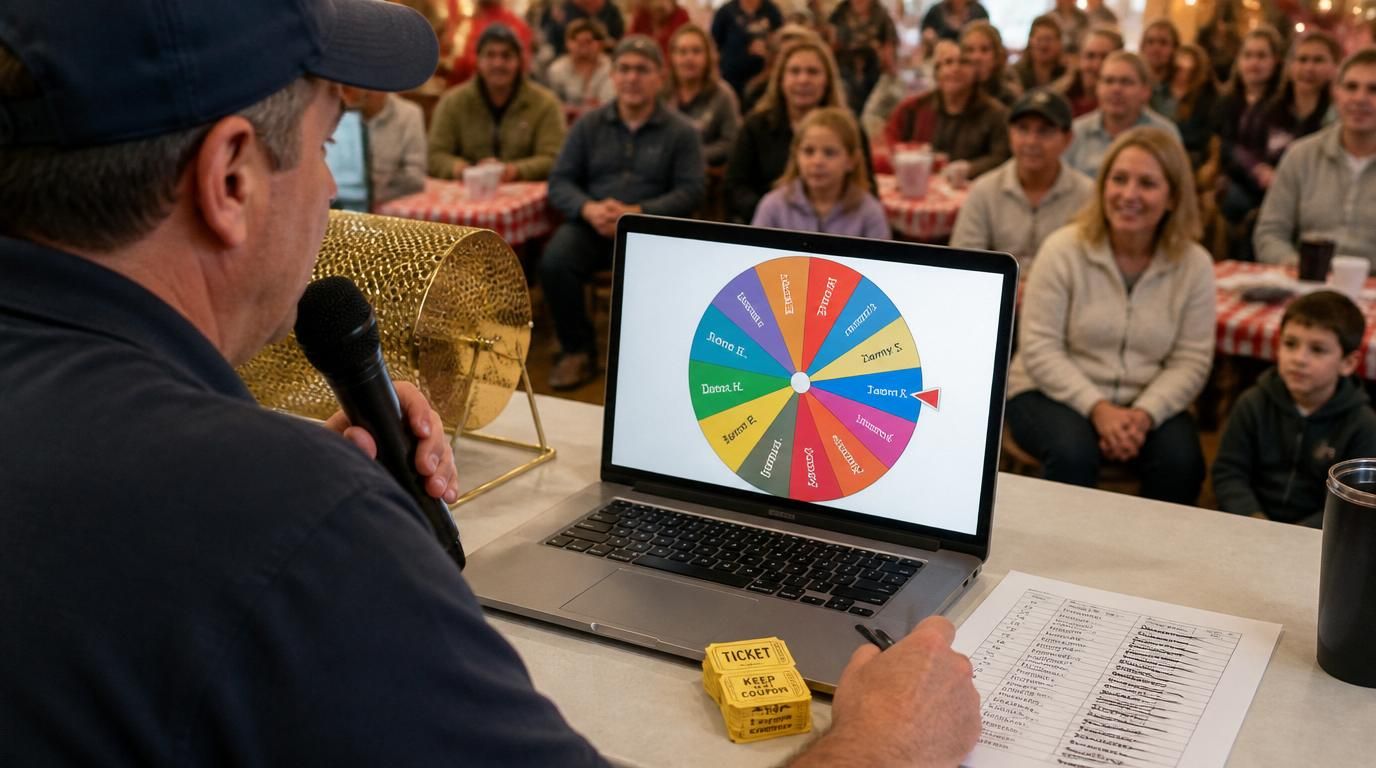
RAND() works. A spinner wheel works. The argument over which is "more random" misses the point, because both are random enough for any small raffle that anyone is realistically going to run. The actual difference is what the participants get to see — and that's where one tool quietly wins for most use cases.
Here's the breakdown we wish someone had given us before our first office raffle.
What each tool actually does well
The spreadsheet method (Google Sheets, Excel) — typing names in column A, RAND() in column B, sorting by B, top row wins — has three real advantages:
- Scale. 500, 5,000, 50,000 entries — the spreadsheet sorts in the same fraction of a second.
- Weighted entries. If raffle tickets have different counts per person, the spreadsheet handles it natively (one row per ticket, sort once, done).
- Documentation. The sheet is its own record. You can re-sort and replay if anyone asks.
The wheel method has different advantages:
- Transparency in the moment. Everyone watching sees the same wheel, the same spin, the same result land. No "trust me, that's what the formula said."
- The pause. Three seconds of suspense is the entire experience of a raffle for the participants. A spreadsheet calculation has no pause.
- No file to share, no formula to explain. The wheel is its own demonstration of how it works.
The decision rule that holds up
If the draw is happening live in front of the participants — office party, fundraiser event, classroom prize, livestream giveaway — use the wheel. The transparency of the moment is worth more than any other consideration. People see the result the second it lands; nobody has to take your word for anything.
If the draw is happening privately and only the organizer is in the room — admin-side raffles, internal draws, anything with thousands of entries — use the spreadsheet. The wheel adds no value in that context, and the spreadsheet handles the scale better.
If the draw needs to be private but the result needs to be shared — common for online raffles where you announce a winner later — use the spreadsheet but screen-record the draw. The recording is what makes the spreadsheet method credible to people who weren't in the room.
Weighted tickets: where the tools diverge
Weighted entries are the case where the tools genuinely differ. Say one participant bought 20 tickets, another bought 5, another bought 1. The spreadsheet handles this natively — each ticket gets its own row, each row gets its own RAND(), sort by RAND(), top row wins. Twenty-six rows total in this example. No setup.
The wheel handles it by duplication — the 20-ticket buyer's name appears on the wheel 20 times, the 5-ticket buyer 5 times, the 1-ticket buyer once. This works perfectly fine for any raffle under a few hundred total tickets. The wheel just shows the right proportional slices, the spin is fair, the result is correct. Beyond a few hundred slices the wheel becomes visually impractical (you can't see individual slices) and the spreadsheet is the better tool.
The visual proportionality of the wheel is actually an advantage for in-person raffles. Participants can see that the person with 20 tickets has more wheel area than the person with one. The fairness is visible without anyone having to explain probability.
The hybrid workflow we use for medium raffles
For raffles in the 50–300 entry range with weighted tickets — the awkward middle zone — we run both:
- Build the entrant list in a spreadsheet with one row per ticket. This is the official record.
- Copy the names (with duplicates for multi-ticket buyers) into a raffle wheel.
- Run the draw live on the wheel. The wheel result is the official winner.
- Keep the spreadsheet as the documentation in case anyone asks how many tickets each person had.
The wheel produces the moment. The spreadsheet produces the audit trail. Neither tool is doing the other's job badly; they're complementary.
The "I drew it last night in private" problem
The single most common credibility-destroyer in small raffles is the organizer drawing in private and posting the winner with no record. Doesn't matter which tool you used — without a recording or a witness, the audience has nothing to verify against.
For the spreadsheet method, this means a screen recording of the sort. For the wheel method, this means a screen recording of the spin. Both are 30 seconds of effort that eliminate 90% of post-draw disputes. Skip the recording, and you'll spend the next week explaining yourself in DMs.
What about RNG quality
People sometimes argue that the spinner is "more random" because it has a physics-style animation, or that the spreadsheet is "more random" because RAND() is a documented algorithm. Both are pseudo-random number generators under the hood; both are statistically indistinguishable from random for any sample size you'll ever use in a raffle. RNG quality is genuinely not the factor that decides between them.
The factor is the audience experience. That's the whole answer.
The short version
Live draw with people watching: wheel. Private draw at scale: spreadsheet, recorded. Medium-sized raffle with weighted tickets: spreadsheet for the record, wheel for the moment. None of these methods are "more fair" than the others. They're tools for different kinds of fairness — the felt fairness of a visible spin, or the documented fairness of a reproducible sort. Pick the one that matches who's in the room.
